
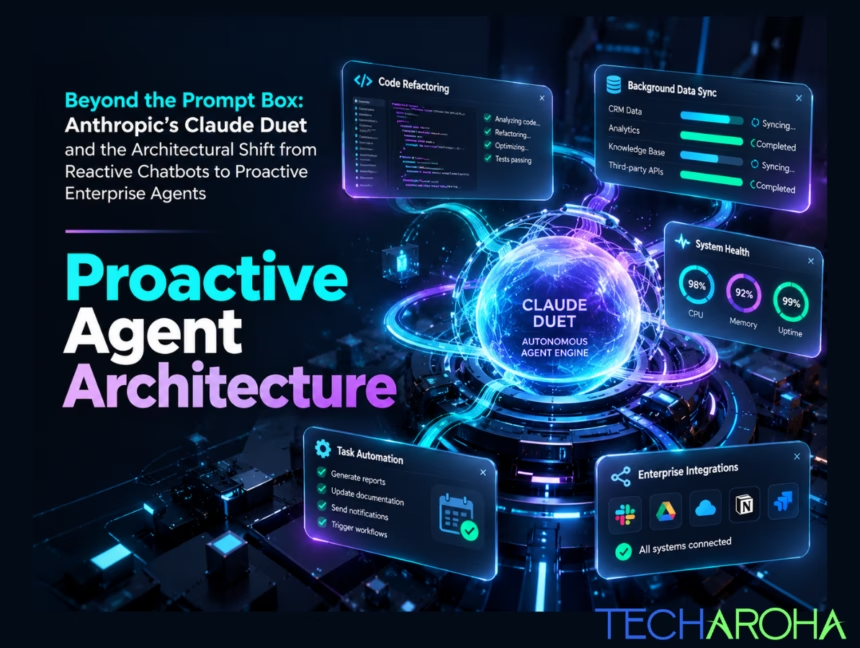
For the past three years, enterprise artificial intelligence has been constrained by a single UI paradigm: the chat box. An employee logs into a portal, pastes a chunk of text or code, writes a detailed prompt, waits for a response, copies that response, and manually executes the next step in their workflow. This is reactive AI. While it accelerated drafting emails and summarizing PDFs, it introduced a severe productivity bottleneck: the artificial intelligence remains completely inert until a human manually kicks off a session. The release of proactive execution environments—exemplified by Anthropic’s Claude Duet marks the official end of the chat-wrapper era. Enterprise architectures are shifting from reactive conversational interfaces to proactive enterprise agents: autonomous, background-running systems that monitor corporate event streams, orchestrate complex multi-step workflows, and present completed work before a human ever types a prompt. Transitioning from a reactive chatbot to a proactive agent network requires rebuilding your underlying software stack. This comprehensive guide covers the technical mechanics of Anthropic’s Claude Duet, contrasts reactive vs. proactive agent architectures, answers the most critical security and operational questions from the developer community, and outlines the enterprise framework Techaroha implements to build secure, cost-efficient agentic systems. 1. Defining the Shift: Reactive Chatbots vs. Proactive Enterprise Agents To evaluate how your software stack needs to evolve, you must first understand the fundamental architectural divide between reactive conversational models and proactive background agents. Reactive AI Systems A reactive chatbot is an augmented stateless Large Language Model (LLM) operating inside a single-turn or multi-turn request-response loop. Proactive Enterprise Agents A proactive agent is an event-driven, autonomous software system that runs continuously or on scheduled triggers across private cloud environments or isolated background runtime environments. Architectural Comparison Matrix Dimension Reactive Chatbots (Legacy) Proactive Enterprise Agents (Next-Gen) Primary Interaction Human-in-the-loop initiating every step Agent-in-the-loop executing with human verification gates Runtime Environment Web browser / ephemeral API session Persistent background runtime / Sandboxed VM System Integration Hardcoded API connectors & webhooks Model Context Protocol (MCP) gateways Execution Trigger Manual user text prompt Event stream, webhooks, CRON, database updates Security Boundary API keys in context or user login session Zero-Exposure credentials, OAuth 2.1, sandboxed runtime Unit Economics High token overhead per session Optimized multi-tier routing & prompt caching Failure Mode Unhandled hallucination in chat window Governed rollback, error-handling loops, and alert escalation 2. What is Anthropic’s “Claude Duet”? Claude Duet represents Anthropic’s paradigm shift from a purely conversational assistant to an event-aware, proactive background execution agent. Built on top of Anthropic’s Managed Agents infrastructure, Claude Duet acts as a persistent digital co-pilot that operates alongside teams in real time. Instead of waiting for a prompt, Claude Duet binds directly to corporate development and business tools—such as GitHub, Jira, Slack, Google Workspace, and private databases—via Model Context Protocol (MCP) integrations. How Claude Duet Operates Under the Hood: 3. Answering the Enterprise & Developer Community Questions The emergence of proactive background execution tools like Claude Duet has sparked intense technical debate across developer communities on Reddit, YouTube, Quora, and Google Search. Below are detailed, architectural answers to the core questions being raised. Question 1: “How do we prevent a proactive agent from going rogue or executing dangerous actions?” The Technical Challenge: If an agent runs in the background and has tool access to production databases, cloud resources, or communication platforms, a hallucination or prompt injection attack could cause catastrophic data loss or accidental deployment. The Architectural Solution: Production proactive agents must separate Read/Reasoning Capabilities from Write/Execution Privileges through strict Human-in-the-Loop (HITL) Verification Nodes. Question 2: “Is my corporate data safe in background VM runtimes, or should we host open-weight models locally?” The Technical Challenge: Enterprise decision-makers worry that background agents running on cloud VMs (like Claude Duet) might expose sensitive IP, client records, or internal code bases to third-party memory leaks. The Architectural Solution: Choosing between cloud-hosted agent runtimes and local open-weight models (e.g., Qwen3.6-27B or Llama variants) comes down to a trade-off between reasoning capability and data isolation control. DATA PROTECTION & DEPLOYMENT SPECTRUM LOCAL / ON-PREM EDGE (e.g., Qwen3.6-27B) HYBRID MANAGED AGENTS (Claude Duet) 1. 100% On-Prem Air-Gapped Isolation 1. Zero Data Retention (ZDR) SLA 2. Zero Egress API Costs 2. Frontier Model Reasoning 3. Hardware Dependent (Requires GPUs) 3. Managed Sandboxes & MCP Vaults 4. Limited to Single-File / Simple Logic 4. Handles Complex Code Repos Question 3: “How do we prevent ‘Agent Fatigue’ and excessive notification noise?” The Technical Challenge: If an agent continuously checks Jira, Slack, and GitHub, it risks spamming engineers with hundreds of unnecessary updates, pull-request comments, and low-priority alerts. The Architectural Solution: Implement Confidence Scoring, Action Batching, and Event Threshold Filters at the agent orchestrator layer. Question 4: “How does Model Context Protocol (MCP) enable proactive agents without exposing API keys?” The Technical Challenge: Traditional agent integrations required hardcoding long-lived API keys into custom integration scripts, exposing database connection strings and elevated access credentials to potential prompt injection attacks. The Architectural Solution: Model Context Protocol (MCP) creates an open, standardized layer that separates the AI model’s reasoning logic from system integration endpoints. Question 5: “Are proactive background agents HIPAA, SOC 2, and EU AI Act compliant?” The Technical Challenge: Allowing an autonomous agent to execute background tasks across healthcare records, financial systems, or user data can trigger severe compliance violations if not properly governed. The Architectural Solution: Compliance is achieved at the application infrastructure layer, not merely within the LLM model itself. Question 6: “How do we prevent proactive background monitoring from burning infinite API token costs?” The Technical Challenge: If an agent runs continuous monitoring loops using high-cost frontier reasoning models (like Claude Opus 5.5 or GPT-6 Sol), token costs will escalate exponentially. The Architectural Solution: Implement Multi-Tier Model Routing, Prompt Caching, and Code Execution via MCP. Question 7: “What is the key difference between Anthropic’s Claude Duet and OpenAI’s Locked Chats?” The Technical Challenge: Enterprise buyers often confuse workspace security updates with agent execution frameworks. The Architectural Solution: They address two entirely different layers of the enterprise AI stack:
A sales manager connects an AI assistant to her inbox so it can draft follow-ups. An engineer gives a coding agent access to a staging database. Someone in finance builds an automation that reads invoices and posts to a vendor portal. Nobody asked IT. Nobody told security. Each person saved an hour a day. That is how shadow AI agents arrive. They come through a helpful afternoon, not a breach. We run a software company, and we speak with CTOs, CIOs, CISOs, COOs, and IT managers every week. The question has changed. Two years ago it was “should we adopt AI?” Now it is “how many AI tools are already running here, and what can they touch?” Most leaders cannot answer the second part. This guide helps you answer it, then act on it. Here is what you will get: how shadow AI agents enter a business, the shadow AI risks that matter, a six-step plan for AI agent security that brings shadow AI agents under control, and a checklist to decide whether you need a formal AI integration and security assessment. What Are Shadow AI Agents? Shadow AI agents are AI tools that read company data or take actions in company systems without approval, ownership or visibility from IT and security. The word “agent” matters. A chatbot answers a question. An agent opens your files, calls other tools, sends messages and changes records, usually under the login of the employee who set it up. That gap between answering and acting is why shadow AI agents need their own plan, separate from the old shadow IT playbook. A rogue spreadsheet sits still. Shadow AI agents keep working at 3 a.m. with permissions nobody reviewed. Classic shadow IT Shadow AI agents What it does Stores or moves data Reads, decides and acts on data Access One app, one login Many apps through connected accounts Visibility Shows up in software lists Often invisible to software lists Spread Slow, needs installs Fast, one click or one API key Failure mode Data sits in the wrong place Wrong action runs at machine speed The scale of shadow AI agents is larger than most leaders assume. Reco’s State of Agent Security 2026 report found that about 80% of the AI tools in its telemetry operated without IT oversight, and that small and mid-size companies averaged 414 unsanctioned AI tools per 1,000 employees. IBM’s 2025 Cost of a Data Breach report found that one in five breached organisations had a breach involving shadow AI, and that it added roughly $670,000 to breach costs. Treat these as directional numbers, since methods differ between studies. The direction is still clear. How Shadow AI Agents Enter Your Organisation Most shadow AI agents do not come from bad intent. They come from pressure to move faster than approved tooling allows. When the official route takes six weeks and a free tool takes six minutes, people pick the free tool. Entry route What it looks like Why it slips through Personal AI accounts An employee pastes a contract into a personal chatbot Runs in a browser, nothing to install Browser extensions and meeting bots A note-taker joins calls and stores transcripts externally One-click install with broad permissions OAuth connections “Sign in with Google” gives an AI app read access to mail and Drive Looks like a normal login Low-code automation A team builds workflows with AI steps in Zapier, Make or n8n Business users own them, IT never sees them Developer tooling Coding agents and MCP servers wired to repos and databases Engineers treat them as personal tools AI inside approved SaaS A CRM or helpdesk switches on an AI feature by default A vendor update changes behaviour overnight Look at the pattern. None of these routes needed a purchase order, and none triggered a security review. Shadow AI agents grow in the space between how fast teams want to work and how fast governance can respond. Shadow AI Risks Leaders Should Take Seriously The shadow AI risks that come with shadow AI agents fall into a few groups. Each one links to a business outcome you already track: revenue, trust, audit results and downtime. Risk What happens Business impact Data exposure Customer, financial or source code data leaves your control Contract breaches, loss of client trust Excess permissions An agent holds read and write access it never needed A small mistake becomes a large one Unreviewed actions An agent sends emails, edits CRM records or triggers payments Errors reach customers before anyone notices Compliance gaps Personal data flows through tools with no data agreement Trouble under GDPR, India’s DPDP Act or client contracts Orphaned agents The creator leaves, the connection stays active A live access path with no owner Prompt injection A poisoned document or web page tells the agent what to do An outsider steers your agent AI agent security is mostly an identity problem. Every one of the shadow AI agents borrows an identity, either a person’s login or a service key, and then acts with it. If you cannot list those identities, you cannot say who or what is acting inside your systems. Three practical points about shadow AI agents follow from that: Enterprise AI governance exists to fix exactly this. It gives every agent a name, an owner, a purpose and a permission set. Without it, shadow AI agents decide your risk profile for you. The Six-Step Plan to Find and Control Shadow AI Agents Banning AI does not work. People route around bans and shadow AI agents move further out of sight. The aim is visibility first, then control, then a sanctioned path for the work people are already trying to do. Here is the plan at a glance. Step Question it answers Output 1. Discover Where are shadow AI agents running? Raw list of tools, accounts and connections 2. Inventory What exactly is each one? One register with owner and purpose 3. Classify How risky is each one? Risk tier per agent 4.

Every founder who has watched Copilot autocomplete a working API endpoint in ninety seconds has had the same thought: “Why do we even need engineers anymore?” It’s the first question anyone comparing AI-generated code vs production-ready software eventually has to answer honestly. Then that endpoint goes live. A user sends a slightly malformed request. The service crashes, drags two other services down with it, and nobody has logs to explain why. That gap between code that runs and software that survives real users, real traffic, and real attackers is the entire subject of this blog. It is also the gap most teams discover far too late. This is the honest, technical breakdown of AI-generated code vs production-ready software: what AI coding tools genuinely deliver, where they stop, and what has to happen between “it compiles” and “it’s live.” AI-Generated Code vs Production-Ready Software: Why This Comparison Matters Right Now AI coding assistants ChatGPT, GitHub Copilot, Claude, Cursor, and a growing list of autonomous coding agents have changed how fast a first version of software can exist. A working prototype that once took three weeks now takes three days. That speed is real, and it is valuable. But speed at the generation stage does not equal readiness at the deployment stage. The conversation around AI-generated code vs production-ready software keeps surfacing because founders are shipping AI output directly to users, then discovering the failure modes only after something breaks: a data leak, a downtime spike during a funding demo, or a customer complaint that no one can trace back to a root cause. Understanding AI-generated code vs production-ready software is not an academic exercise. It is the difference between a business that scales and one that spends its first eighteen months firefighting. Read: The AI MVP Trap: Built Fast, Owned by Nobody AI-Generated Code vs Production-Ready Software: What AI Coding Tools Are Actually Good At Before breaking down what’s missing, it’s worth being precise about what AI tools do well, because the honest answer is: a lot. None of this is trivial. Used well, AI-assisted development can cut initial build time by 30–50% on the kind of features that don’t require deep architectural judgment. The problem starts when teams assume that because the code runs locally, the job is done. The Core Difference: AI-Generated Code vs Production-Ready Software Here is the distinction in one sentence: AI-generated code solves the problem in front of it; production-ready software survives the problems it hasn’t seen yet. Dimension AI-Generated Code Production-Ready Software Correctness Works for the tested case Works across edge cases, malformed input, and concurrent load Security Rarely validates trust boundaries Threat-modeled, input-sanitized, auth-hardened Architecture Optimized for “does it work” Optimized for scale, maintainability, and failure isolation Testing Often untested or self-tested by the same AI Covered by unit, integration, and regression suites Observability No logging or monitoring by default Full logging, alerting, and tracing built in Documentation Comments only Architecture docs, runbooks, API specs Ownership No one accountable for long-term behavior Engineering team owns uptime, fixes, and evolution This table is the practical summary of AI-generated code vs production-ready software, and every row on the right side is a step most AI-only workflows skip entirely. AI-Generated Code vs Production-Ready Software: The Eleven Things Missing Between “It Runs” and “It’s Ready” 1. Architecture Validation (AI-Generated Code vs Production-Ready Software, Layer One) AI tools generate code at the function or file level. They rarely reason about how that code fits into a larger system — how services communicate, where state lives, what happens when one component fails. A senior engineer reviewing AI output for architecture fit is the single highest-leverage step in the entire AI-generated code vs production-ready software conversation, because a wrong architectural decision made on day one is expensive to unwind on day two hundred. 2. Security Testing (AI-Generated Code vs Production-Ready Software, Layer Two) AI-generated code frequently ships with the exact vulnerabilities security teams have spent a decade eliminating: SQL injection points, missing input sanitization, hardcoded secrets, weak session handling, and overly permissive API access. An AI model optimizes for “this satisfies the prompt,” not “this resists an attacker.” Security testing — static analysis, dependency scanning, and manual review of trust boundaries — is non-negotiable before anything touches production, especially in fintech, healthcare, or any system handling customer data. 3. Automated and Integration Testing Code an AI wrote and tested against its own assumptions is not the same as code tested against your actual users. Unit tests, integration tests, and regression suites catch the failures that only appear when real data, real concurrency, and real third-party APIs enter the picture. Without this layer, every new feature risks silently breaking an old one. 4. Data Integrity and Migration Safety AI-generated code often treats the database as an afterthought — a place to store and retrieve values, not a system with constraints, relationships, and long-term integrity requirements. Schema migrations, backup strategy, and data validation rules are where AI output is weakest, and where mistakes are hardest to reverse. 5. CI/CD Pipelines A working script on a developer’s laptop is not a deployment process. Production-ready software needs a CI/CD pipeline that runs tests automatically, blocks bad builds, and deploys with rollback capability. AI tools don’t build this — someone has to design it around the code, not after an incident forces the issue. 6. Infrastructure and Scalability Planning AI-generated code has no concept of your expected traffic, your budget, or your growth curve. It won’t tell you that your architecture works fine for 500 users and falls over at 5,000. Infrastructure decisions — load balancing, caching, database indexing, horizontal scaling — require someone thinking two years ahead, not one prompt ahead. 7. Monitoring and Observability When something breaks in production, the question isn’t “can we fix it,” it’s “how fast can we see it.” AI-generated code almost never includes logging, error tracking, alerting, or tracing. Without observability, every incident becomes a guessing game, and every guessing game costs uptime and customer trust. 8. Integration

A practical look at AI MVP development for startup founders who want speed without losing control of what gets built. You typed a prompt. Twenty minutes later, you had a working app. A signup flow, a dashboard, a payment button that actually charges cards. It felt like magic, and for a weekend hackathon or a pitch deck demo, it was. Then you got your first fifty real users. And the app started doing things nobody asked it to do. Welcome to the part of AI MVP development nobody puts in the demo video. This is the story behind almost every AI MVP development project we get called in to fix. Not because the AI failed. Because nobody was actually responsible for what it built. The Problem: Speed Without a Second Owner Founders love AI MVP development for one honest reason: it removes the two things that used to gate every startup idea, time and money. What once needed a technical co-founder and eight weeks now needs a prompt and an afternoon. Tools like Lovable, Bolt, Replit Agent, and Cursor have made “just build it with AI” a legitimate first move, not a shortcut for people who can’t code. But here’s what founders discover a few months in, usually at the worst possible time: None of this shows up during the AI MVP development demo, while you’re pitching to five friendly beta users. It shows up the day your app gets covered somewhere, or a paid ad campaign sends real traffic, or an investor asks for a security review before writing a check. The real question isn’t “can AI build my MVP.” It clearly can. The real question is: when it breaks, who fixes it, and who’s even allowed to? Why the Obvious Fix Fails The obvious response is “just hire a developer to take over.” This is where most founders doing AI MVP development lose months instead of weeks. Handing an AI-generated codebase to a new developer is not the same as handing them a codebase a human engineer designed with intent. A human engineer leaves a trail: architecture decisions, comments explaining tradeoffs, a reason the folder structure looks the way it does. AI-assisted output optimizes for “does this prompt’s request work right now,” not for “will the next person understand this in six months.” A new developer opening an AI MVP development codebase for the first time typically finds: What They Expect What They Actually Find A consistent data model Three different naming conventions for the same entity Reusable components The same UI logic copy-pasted across twelve files A reason behind each dependency Fifteen packages installed to solve problems that had one-line fixes Documentation or comments None, because the AI never had to explain itself to anyone So the “quick fix” of hiring a developer turns into weeks of reverse-engineering the app before anyone can safely touch it. You end up paying for a rebuild anyway, just later and under more pressure, with paying customers already depending on the thing that’s breaking. There’s also a quieter problem with AI MVP development: ownership itself. Several AI coding platforms hold generated code in ways that make export, IP assignment, or even basic version control murkier than founders expect. If your cap table or your acquirer’s due diligence team ever asks “do you actually own this code, cleanly, with no third-party claim on it,” you want a confident answer, not a scramble. What Actually Needs to Be Solved Strip away the panic and the actual problem with AI MVP development is narrow and solvable. It has three parts: This is the shift founders need to make mentally about AI MVP development: done right, AI MVP development isn’t “let the AI build it and hope.” It’s “use AI to move fast, inside a structure a real engineer is responsible for.” The output looks similar on day one. It looks completely different on day ninety. The Technical and Business Decision Founders Actually Face Every founder doing AI MVP development is really choosing between three paths, whether they realize it or not: Most founders approaching AI MVP development don’t know Path C exists until something breaks. It’s the path that actually matches what a fast-moving startup needs: velocity now, ownership and stability by the time it matters. This is also a business decision about AI MVP development, not just a technical one. The cost of Path A showing up as a production outage during a fundraise, or a security gap during due diligence, is almost always higher than the cost of getting the architecture right the first time. What a Competent Implementation Actually Requires If you want AI MVP development that still ends in something you own and can scale, a few things have to be true from day one: This is the part AI-only tools genuinely cannot do on their own in AI MVP development. They don’t know your growth plan, your compliance requirements, or what an investor is going to ask in six months. A person has to. Common Vendor Mistakes Founders Should Watch For Not every vendor offering AI MVP development is actually equipped to solve this. Some of the most common mistakes we see when founders bring in outside help: Any one of these mistakes turns an AI MVP development success story into a “we got stuck” story. Founders rarely notice until they try to change vendors, raise a round, or scale past their first few hundred users. What to Check Before You Hire Anyone Before you hand your AI MVP development project, or your next AI-assisted build, to any outside team, ask these directly: If a vendor can’t answer these clearly and specifically, they’re not equipped for AI MVP development that survives contact with real users. They’re equipped to make a demo. How Techaroha Approaches This We’ve been building custom software for over a decade, and AI MVP development has been part of how we work for years, not a pivot we made when it became trendy. The difference